

Kickstart | Field Service Management Solution

Kickstart Blogs

Published: Jul 2026 · 7 min read

by Adam Scott

Best Software For Painting Contractors: A Practical Guide To Job Scheduling, Estimating & Getting Paid On Time

Running a painting business today means juggling more than brushes and rollers. Between chasing down estimates, coordinating crews across multiple job sites, and tracking material costs that shift week to week, contractors who still rely on sticky notes, group texts, and spreadsheets are watching jobs slip through the cracks and profit along with them.

This is exactly why the best software for painting contractors has become less of a luxury and more of a baseline requirement for staying competitive. The right platform doesn’t just digitize your paperwork it gives you a real-time view of every crew, every client, and every dollar moving through your business, so you can quote faster, schedule smarter, and stop losing hours to admin work that should take minutes.

Kickstart is built for exactly this shift. It brings scheduling, job tracking, client communication, and invoicing into a single, easy-to-use system helping painting businesses of all sizes move off paper and onto a platform that actually keeps pace with how they work in the field.

best software for painting contractors

The Real Cost Of Running A Painting Business Without The Right Tools

Across the United States, painting contractors are leaving money on the table every week without realizing it. Here’s exactly where software for painting contractors closes the gaps that manual operations create every single day:

Lost Estimates

Paper quotes and scattered notes get misplaced

Overlapping Crew

No central calendar means two crews get sent

Delayed Payments

Manual invoicing means jobs get finished

Constant Status

Clients left in the dark end up calling

Hours Lost

Time spent on quotes, schedules, and invoices

Running a painting business this way costs you time, money, and repeat customers. This is why contractors across the country are switching to platforms that bring scheduling, estimating, invoicing, and communication into one connected system and never looking back.

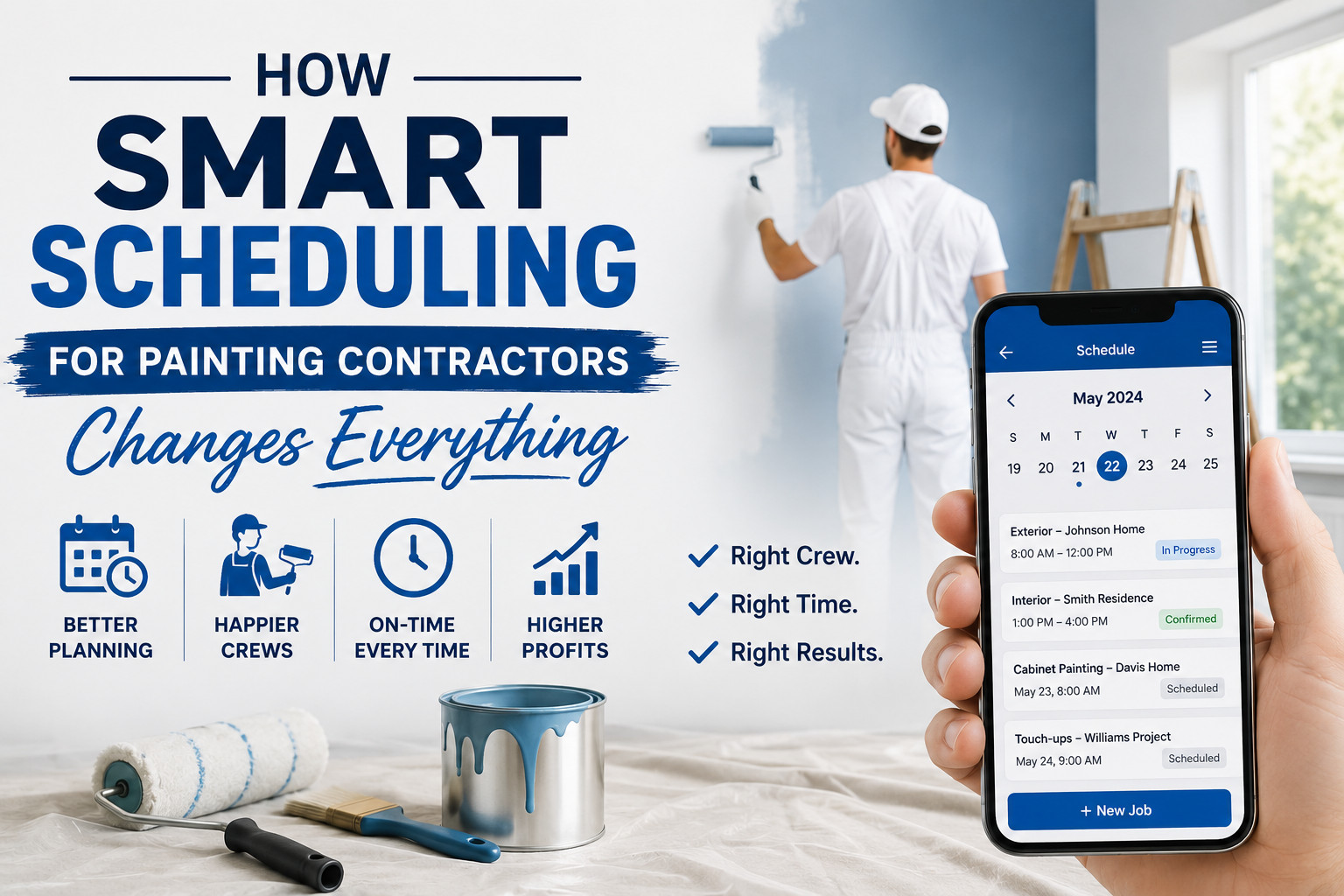
How Smart Scheduling For Painting Contractors Changes Everything

1. Every Crew Knows Their Day

With smart scheduling for painting contractors, crew leads instantly receive their daily job list directly on their phone. Client details, job specs, paint colors, and site addresses are all available in one place. No more morning phone calls, paper job sheets, or confusion about which crew is heading where everything is organized before the first coat goes on.

2. No More Overlapping

One of the biggest advantages of smart scheduling for painting contractors is real-time visibility. Office managers can instantly see which crews are available, prevent two teams from being booked on the same job, and quickly slot in last-minute estimates or touch-up work. This keeps every crew productive and every client appointment running on time.

3. Smarter Routes Reduce Driving Time

Painting crews often bounce between multiple job sites in a single day interior jobs, exterior touch-ups, and estimate visits scattered across town. Smart routing groups nearby jobs together, cutting down on unnecessary drive time between sites so crews spend more hours painting and less time stuck in traffic.

4. Real-Time Job Updates

As a job moves from prep to priming to final coat, crews can update job status directly from the field. Office staff and clients see progress in real time, without a single phone call. If a job runs long or weather pushes a start time back, the schedule adjusts instantly keeping the whole team aligned without the back-and-forth.

best software for painting contractors

Getting Paid Faster With Painting Contractor Billing Software

Here’s how Kickstart helps painting businesses get paid faster and stay financially organized.

1. Invoices Sent Instantly After Every Job

One of the biggest advantages of billing software for painting contractors is automatic invoicing. As soon as a crew marks a job complete in Kickstart, an invoice is instantly generated and sent directly to the client. No manual paperwork, no waiting until the crew is back at the shop, and no gap between finishing the final coat and requesting payment.

2.Multiple Payment Options Speed Up Collections

Modern billing software should make paying easy for clients. Kickstart allows customers to pay using multiple methods including cards, online payments, and integrated payment tools. The simpler it is for a client to pay, the faster painting businesses see that money hit their account.

3. Deposit And Progress Billing For Larger Jobs

Bigger painting projects full exteriors, multi-room interiors, commercial contracts — often need payment split across stages. Kickstart lets contractors collect a deposit upfront, bill progress payments as work is completed, and send a final invoice at project close, so cash keeps flowing throughout longer jobs instead of all at once at the end.

4. Accurate Estimates Convert Directly Into Invoices

Instead of retyping numbers between quoting and billing, Kickstart lets contractors turn an approved estimate straight into an invoice. This cuts down on pricing errors between what was quoted and what’s billed, and speeds up the time between job completion and getting paid.

5. Reduce Unpaid Invoices And Follow-Ups

Chasing down late payments eats into hours that should be spent on the next job. Kickstart tracks outstanding invoices automatically and sends reminders to clients, so office staff aren’t stuck making awkward follow-up calls every week.

6. A Clear Financial Picture Across Every Job Site

With every invoice, payment, and outstanding balance tracked in one place, painting business owners get a real-time view of their cash flow across all active jobs instead of piecing it together from paper receipts and a separate accounting spreadsheet.

Final Thoughts

The best software for painting contractors is no longer optional for businesses that want to stay organized, profitable, and competitive in 2026. With features like smart crew scheduling, instant estimating, automated invoicing, and real-time job tracking, painting contractors can save hours every week, reduce costly scheduling mistakes, and deliver the kind of client experience that turns one-off jobs into repeat business.

Kickstart combines powerful job scheduling, estimating, and billing tools into one platform helping painting contractors across the United States run every job, from prep to final payment, without the paperwork chaos.

Ready To Simplify Your Painting Business With The Right Software?

Frequently Asked Questions (FAQs)

The best software for painting contractors combines job scheduling, estimating, crew management, and invoicing into one platform. Kickstart is built specifically for service businesses like painting contractors, helping them manage every job from initial estimate to final payment without switching between multiple tools.

Painting contractor software gives office staff a real-time view of every crew’s schedule and location. This prevents double-booking, makes it easy to slot in last-minute estimates or touch-up jobs, and ensures crews always know where they’re headed before they leave the shop.

Yes. With Kickstart, approved estimates convert directly into invoices, so there’s no need to retype job details or pricing. This reduces errors between what was quoted and what’s billed, and speeds up the time it takes to get paid after a job is complete.

Yes. For larger projects like full exteriors or commercial jobs, Kickstart allows contractors to collect a deposit upfront, bill progress payments as work moves forward, and send a final invoice at project completion keeping cash flow steady throughout longer jobs.

Yes. Kickstart is designed to scale with painting businesses of all sizes, from solo contractors to multi-crew operations. Its scheduling, estimating, and billing tools cut down on admin work, making it easier for smaller teams to run efficiently without hiring extra office staff.

related Posts

Why Pool Service Companies Trust Kickstart Pool Service Business Software?

Kickstart Blogs Published: Jul 2026 · 7 min read by Adam Scott Why pool service companies trust Kickstart pool service business software Why pool service companies trust Kickstart pool service...
Read More →

How Landscaping Management Software Helps Landscaping Businesses Grow Faster In 2026?

Kickstart Blogs Published: Jul 2026 · 7 min read by Adam Scott How landscaping management software helps landscaping businesses stay organised How landscaping management software helps landscaping businesses stay organised...
Read More →

Best Software For Painting Contractors Business In 2026?

Kickstart Blogs Published: Jul 2026 · 7 min read by Adam Scott Best Software For Painting Contractors: A Practical Guide To Job Scheduling, Estimating & Getting Paid On Time Running...
Read More →

Cash flow improves dramatically when billing is automated. Field workforce management software helps you speed up invoicing and reduce payment delays.

Automated Invoicing Features:

  • Instant invoice generation after job completion
  • Digital payment options for customers
  • Automated payment reminders
  • Secure online transactions
Index