


Field Service Scheduling Software Built to Run Your Day Smoothly
Service businesses lose hours every week to double bookings, missed calls, and disorganized job notes. Field service scheduling software solves this by giving your team one shared system to plan jobs, assign technicians, and keep customers updated without the back and forth
Build a Schedule That Actually Holds Up
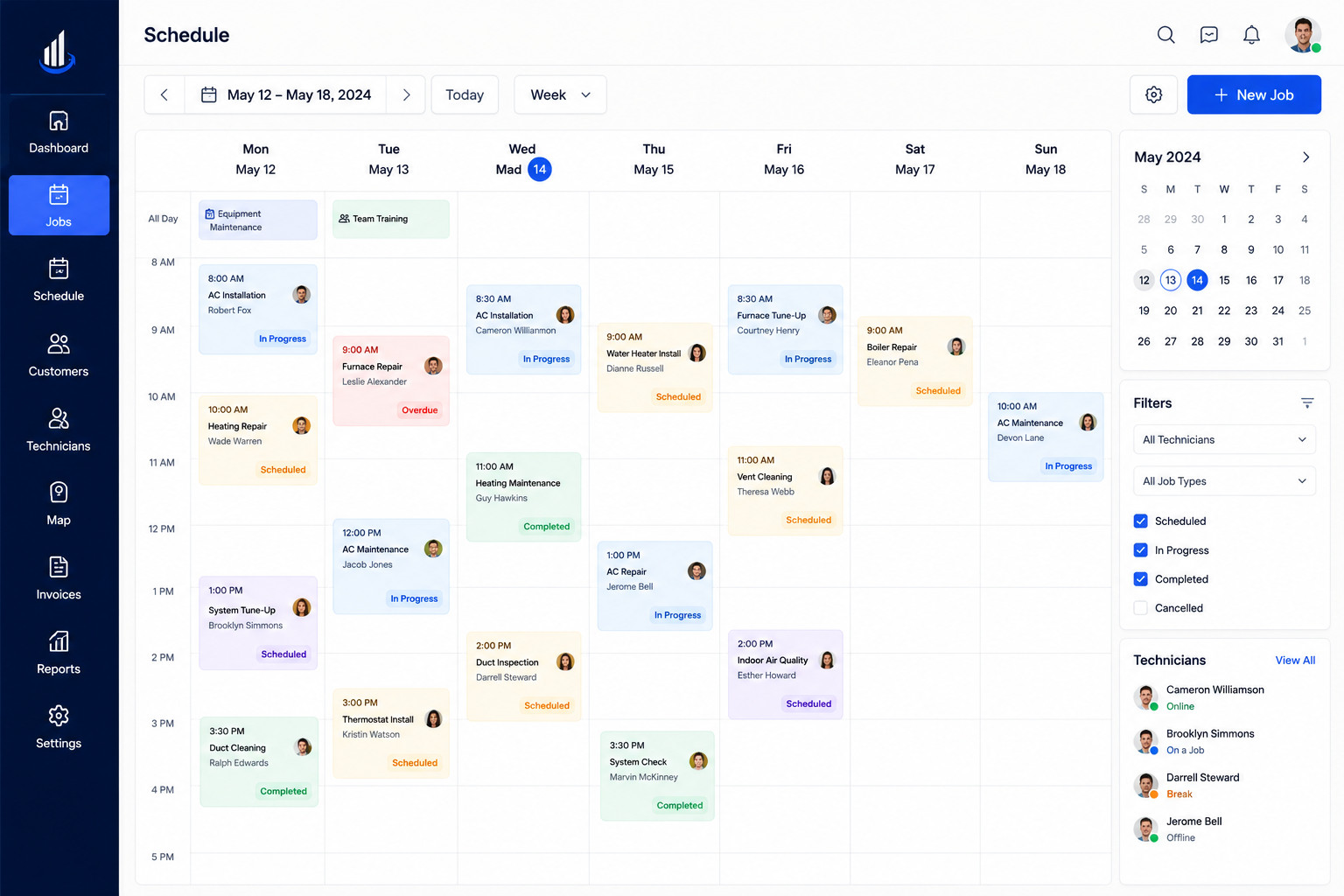
A schedule only works if it can survive a busy week without falling apart. Most teams still rely on phone calls and sticky notes, which is exactly why mistakes pile up so fast. Field service scheduling software gives every job a fixed place on the calendar so nothing gets forgotten or doubled up.
Common Scheduling Mistakes
- Jobs booked twice for the same time slot
- Appointments written down and then forgotten
- No clear view of who is free and who is not
- Customers calling in just to confirm a visit
What Changes With Automation
- One shared calendar for the whole team
- Reminders sent automatically before each visit
- Real time updates whenever a job changes
- Less time spent untangling booking mistakes
Once your schedule is automated, your team stops reacting to problems and starts running the day on its own terms.
Plan Recurring Jobs Without Repeating the Work
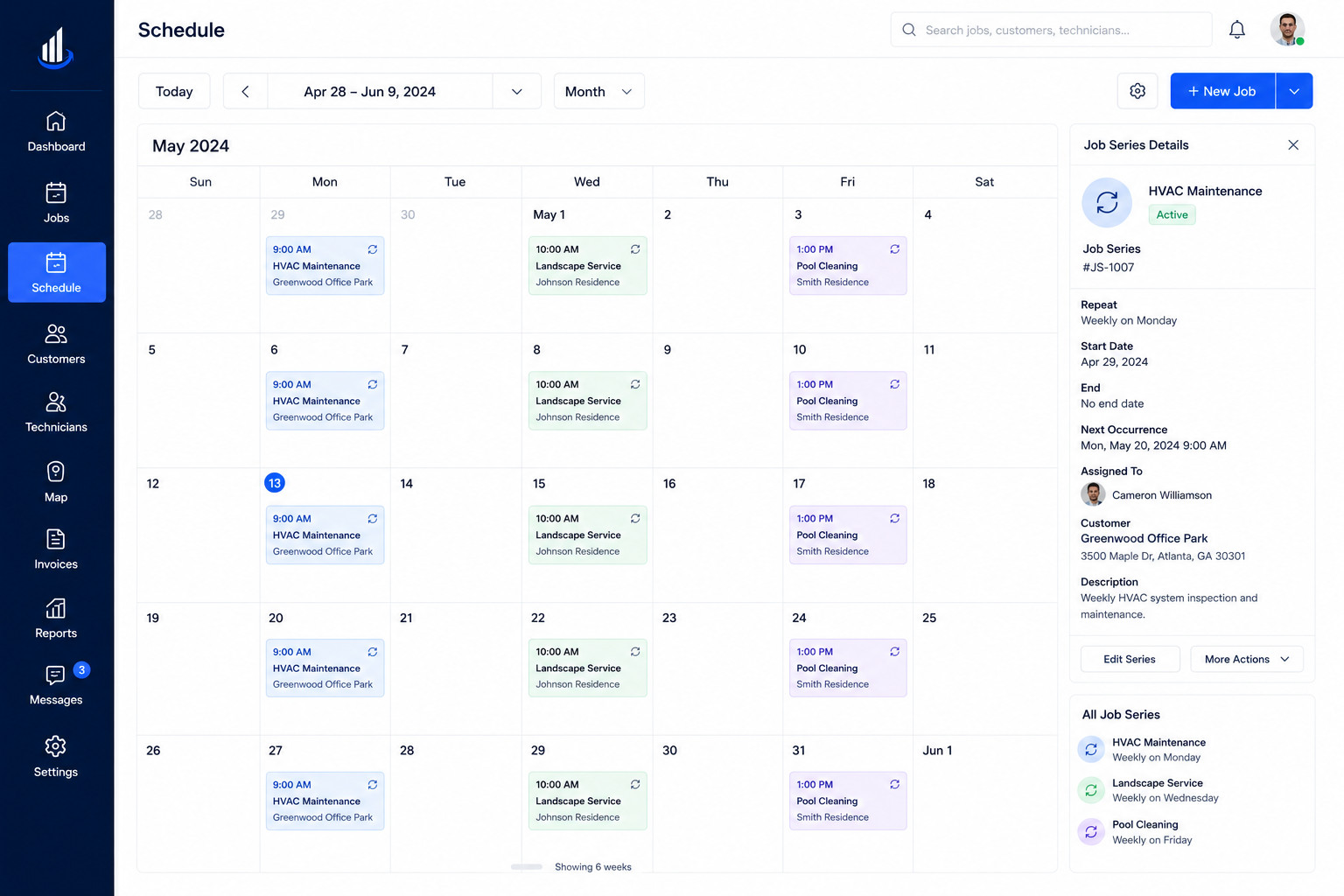
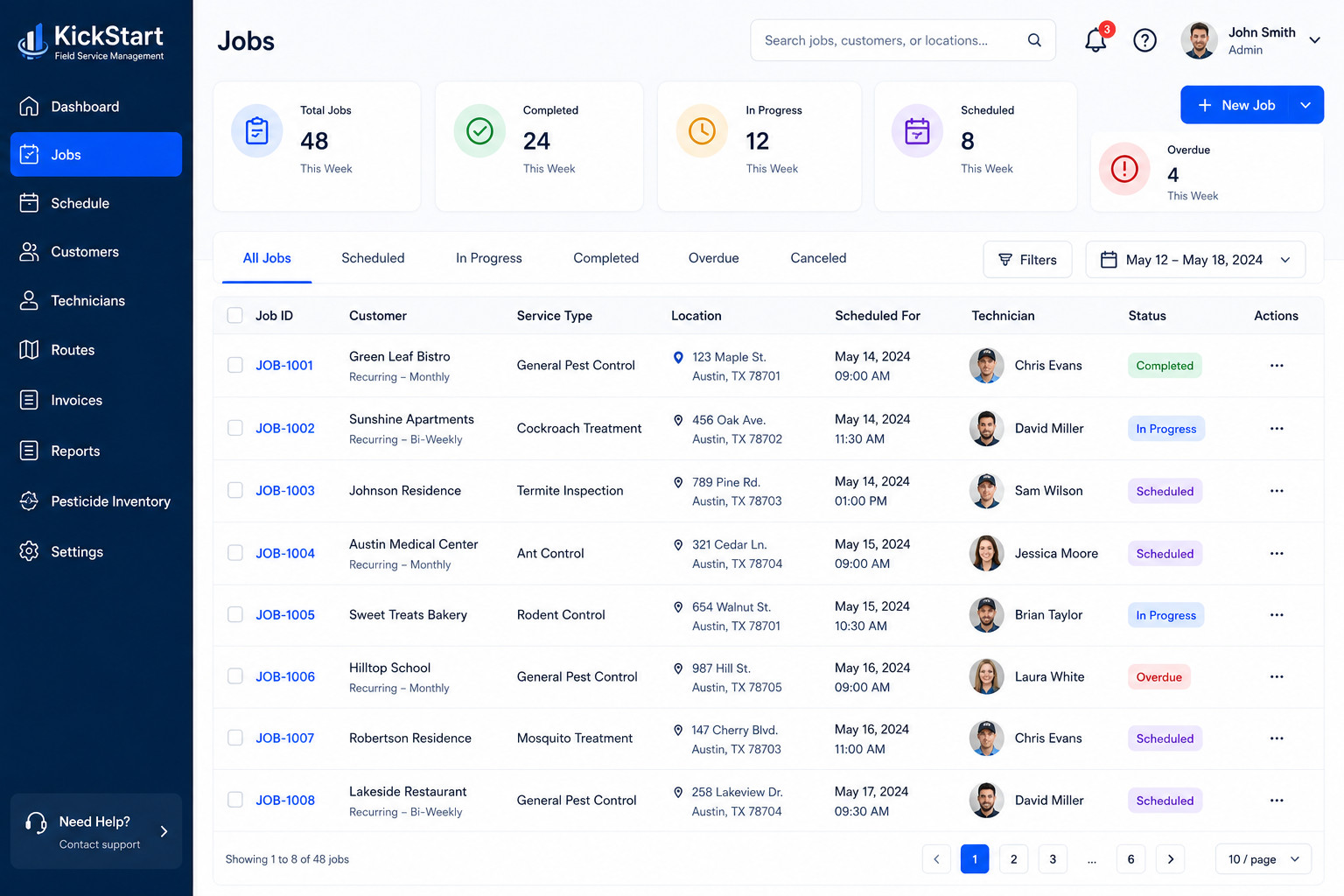
Many service jobs repeat every week, month, or season, and rebuilding the same booking by hand every time wastes effort that should go elsewhere. Kickstart lets you set a job once and have it repeat automatically on whatever schedule fits the customer.
What Recurring Scheduling Handles
- Weekly, monthly, or custom repeat cycles
- Automatic rebooking without manual entry
- Easy adjustments when a customer’s needs change
- One setup that covers months of future visits
Why This Saves Time
- No more retyping the same job details
- Fewer missed repeat appointments
- A calendar that fills itself in advance
- More predictable workload planning
Field service scheduling software that brings your whole calendar together
Match Every Job to the Right Time Slot Automatically
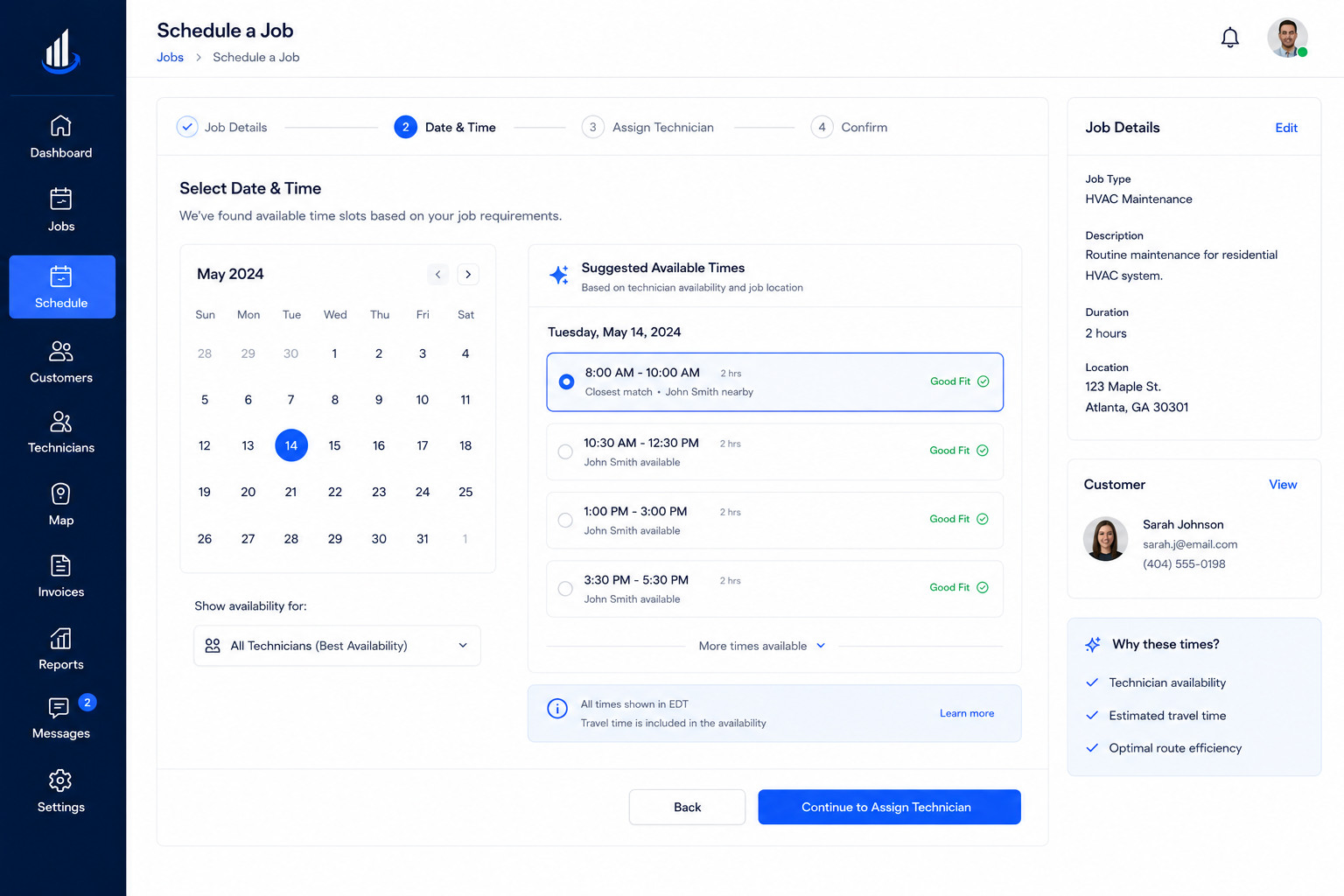
Fitting a new job into an already busy day is one of the hardest parts of scheduling by hand. Field service scheduling software looks at technician availability, location, and existing bookings to suggest the best slot for a new job automatically.
How Smart Scheduling Works
- Suggests open slots based on real availability
- Accounts for technician location and travel time
- Prevents overlapping or back to back conflicts
- Adjusts instantly when a job is added or moved
What This Means for Your Team
- Faster booking with fewer back and forth calls
- A calendar that stays realistic, not overloaded
- Less time spent manually checking availability
- More jobs booked correctly the first time
Assign Multiple Jobs in Seconds, Not One by One
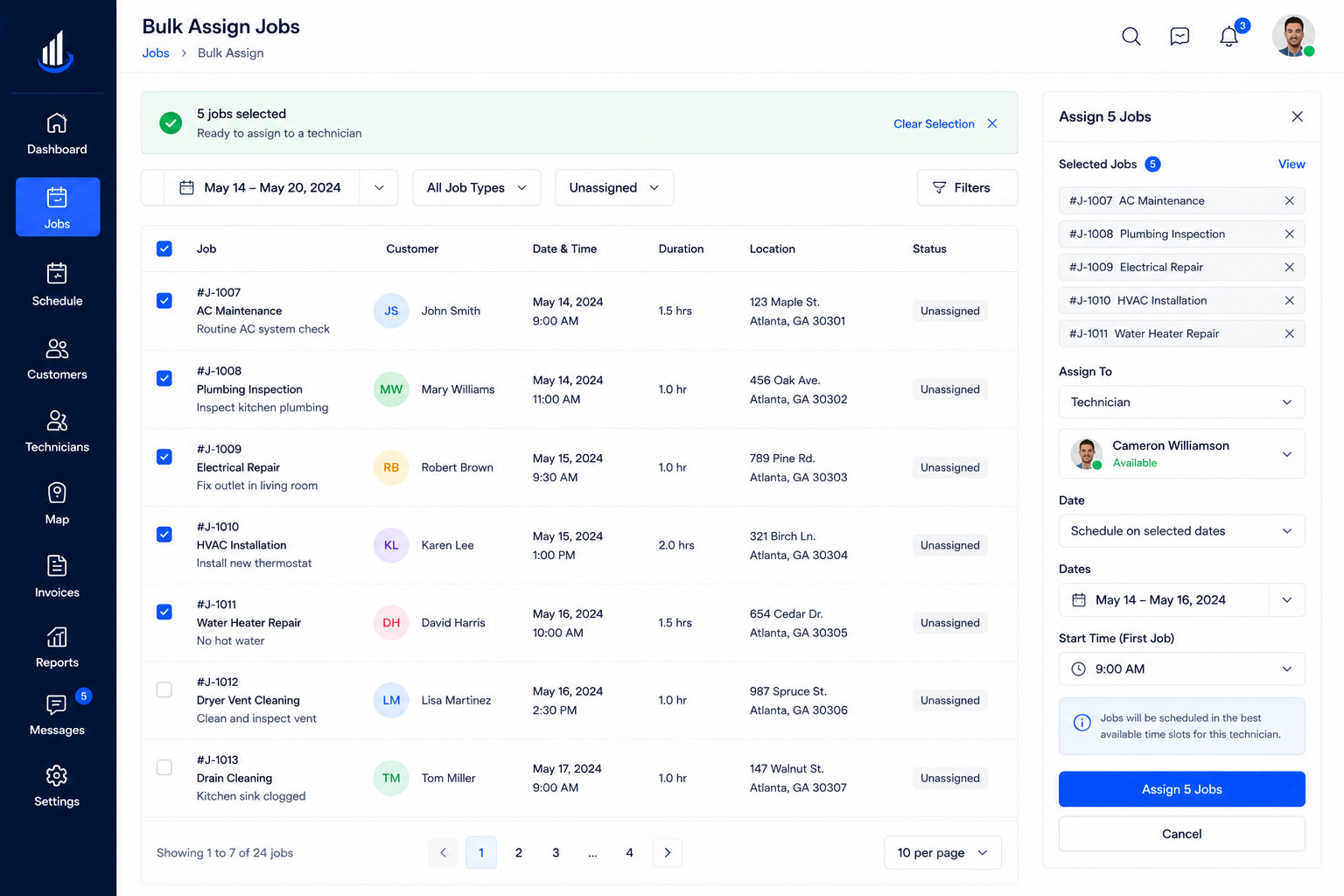
When a busy day brings in ten or twenty new jobs at once, scheduling them one at a time slows everything down. A built in customer relationship management view lets you see every customer and job detail while assigning work in bulk, so nothing has to be handled separately.
Bulk Scheduling Features
- Assign several jobs to a team in one action
- Filter jobs by area, type, or priority before assigning
- Apply the same time slot across multiple visits
- Edit multiple bookings without opening each one
Why Teams Rely on This
- Hours saved during high volume scheduling days
- A consistent process for assigning large batches of work
- Less room for manual entry mistakes
- Faster turnaround between booking and dispatch
Keep Your Calendar Accurate as Plans Change
Plans shift constantly in service work, and a schedule that does not update in real time quickly becomes useless. Field service scheduling software keeps every change, cancellation, and reschedule reflected instantly, so the whole team is always looking at the same accurate calendar.
What Stays in Sync Automatically
- Job changes update across every device instantly
- Cancellations free up the slot right away
- Reschedules notify the customer and technician
- No outdated information left sitting on the calendar
Why This Matters
- Office staff and technicians always see the same schedule
- Fewer mix ups caused by outdated information
- Customers get accurate confirmations every time
- Less manual double checking before each visit
FAQs
It is a digital tool that helps businesses plan jobs, assign technicians, manage recurring appointments, and keep a shared calendar accurate, instead of relying on phone calls and spreadsheets.
Yes. You can set a job to repeat on a weekly, monthly, or custom cycle, and the system books it automatically without needing to reenter the details each time.
It checks technician availability, location, and existing bookings, then suggests time slots that avoid conflicts and reduce unnecessary travel time.
Yes. Bulk scheduling lets you select multiple jobs and assign them to a team in a single action, which is especially useful during busy or seasonal periods.
Yes. Any cancellation, reschedule, or change updates the calendar instantly for both office staff and technicians, so everyone is always working from the same accurate schedule.